Serial Port Sender
Description
This adapter is used to write data to and read data from serial port devices.
Creation
To create a Serial Port Sender, follow the steps described in the general description of Scenario Elements.
Configuration
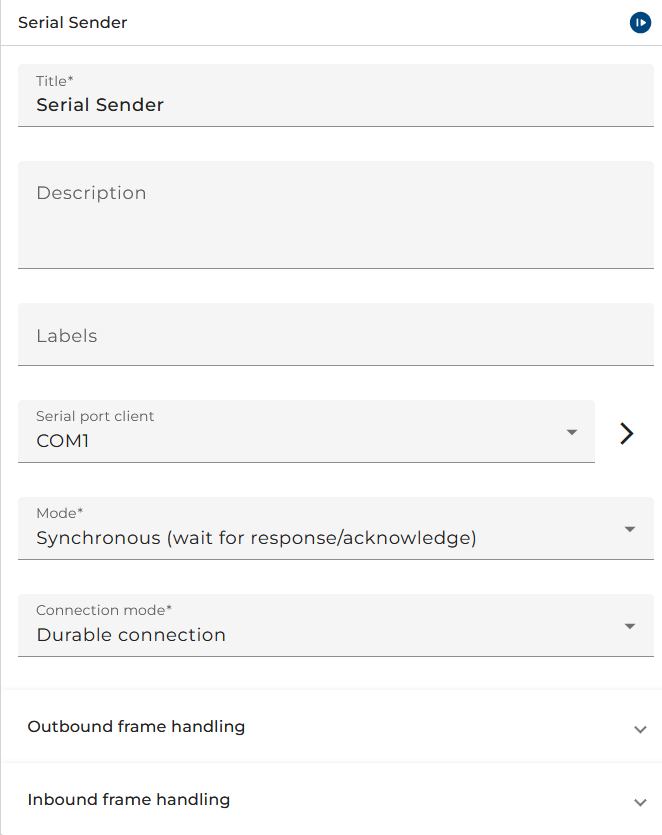
The dialog to configure the Serial Port Sender looks like:
 |
|---|
| Base view of the Serial Port Sender |
-
Serial Port Client is the connection to a Serial Port.
-
Mode defines the communication mode:
| Mode | Description |
|---|---|
| Asynchronous | A process is invoked only |
| Synchronous (wait for response/acknowledge) | A process is invoked, it will be waited until it finishes. The result of the process is sent back to the invoking client. |
- Connection mode defines if the connection is temporary or durable
| Mode | Description |
|---|---|
| Temporary connection | closes the serial port connection after sending and reading data |
| Durable connection | keeps connection to serial port open after sending and reading data |
Outbound frame handling
Frame handling
The Frame handler handles messages before sending them to a serial port device.
| Frame handler | Description |
|---|---|
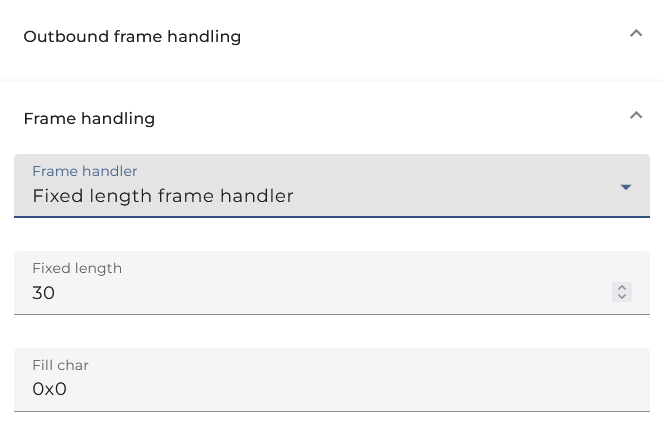
| Fixed length frame handler | Using a fixed length for framing. Uses fill characters to fill up unused space at the end of the message, that can be configured in panel |
| Stop char frame handler | Sends a certain character at the end of the message |
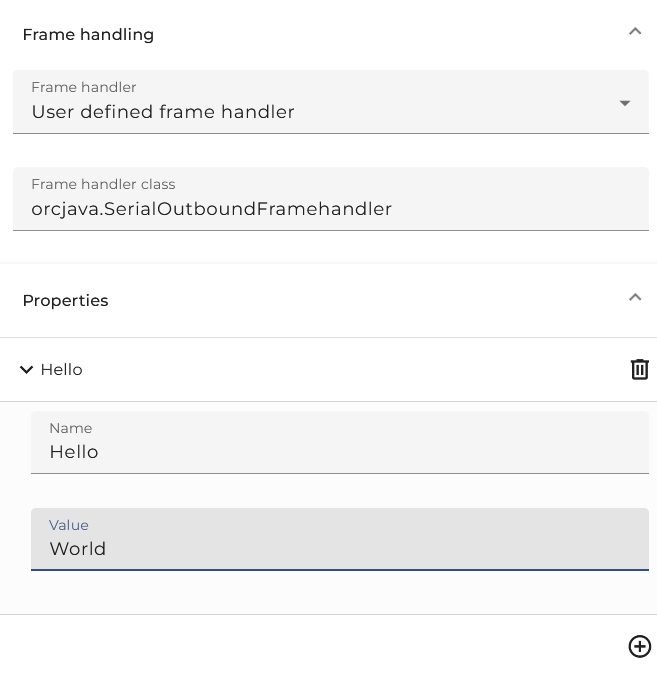
| User defined frame handler | Custom frame handler implemented by user |
Fixed length frame handler
-
Fixed length is the length for framing
-
Fill char is the character used to fill up unused space at the end of the message
Stop char frame handler
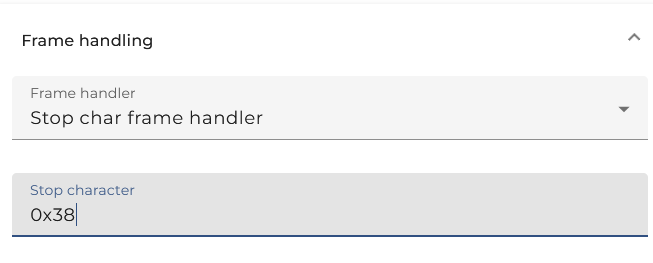
- Stop character is the character that will be added to the end of the message
User defined frame handler
-
Frame handler class is the user defined frame handler class
-
Properties are the properties that are needed for the user defined frame handler
For user defined outbound frame handling the following base interface has to be implemented:
package de.soffico.channel.serial.channel.decl;

import java.io.IOException;
import java.io.OutputStream;
import emds.epi.decl.exceptions.EpiBaseException;
/**
* This interface is used to define different variants of packet outbound
handling.
*/
public interface SerialPacketOutboundHandler {
    /**
    * Configure the concrete implementation with the given configuration
    * @param owningScenario the unique id of the owning scenario
    * @param configuration the pre-defined configuration
    */
    public void configure( String owningScenario, FrameHandlerConfig configuration ) throws EpiBaseException;
    /**
    * Write the given data to the underlying output stream. Depending on
    the implementation
    * a framing can be done by the different implementations
    */
    public void writeDataToDevice( OutputStream output, byte [] data ) throws IOException;
}
The following sample code demonstrates how a simple frame protocol can be implemented:
package orcjava;

import java.io.IOException;
import java.io.OutputStream;
import de.soffico.channel.serial.channel.decl.FrameHandlerConfig;
import de.soffico.channel.serial.channel.decl.SerialPacketOutboundHandler;

public class SerialOutboundFramehandler implements SerialPacketOutboundHandler {

    @Override
    public void configure( String owningScenario, FrameHandlerConfig configuration) {
    }

    /**
    * This method add a zero byte to then end of the packet
    */
    @Override
    public void writeDataToDevice(OutputStream output, byte[] data) throws IOException {
        output.write(data);
        output.write(0);
    }
}
Serializer

Serializer type
Here the user may select and configure a serializer used to parse the message and create a message from its content. Along with this one or more Stream filters may be added and configured.
Inbound frame handling
Frame handling
The Frame handler handles data from a serial port device before releasing messages to Orchestra.
| Frame handler | Description |
|---|---|
| Fixed length frame handler | Reading certain length of data from serial device |
| Stop char frame handler | Reading data until a specific character from serial device |
| User defined frame handler | Custom frame handler implemented by user |
Fixed length frame handler
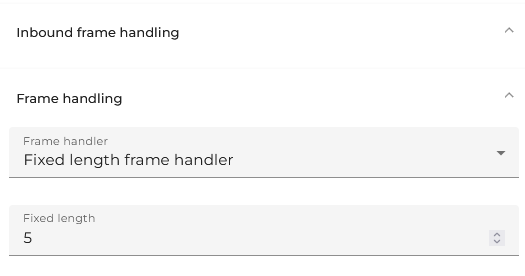
- Fixed length is the length for framing
Stop char frame handler
- Stop character is the character until which the data will be read
User defined frame handler
-
Frame handler class is the user defined frame handler class
-
Properties are the properties that are needed for the user defined frame handler
For user defined inbound frame handling the following base interface has to be implemented:
package de.soffico.channel.serial.channel.decl;
import java.io.IOException;
import java.io.InputStream;
import emds.epi.decl.exceptions.EpiBaseException;
/**
* This interface is used to define different variants of packet inbound handling.
*/
public interface SerialPacketInboundHandler {

    /**
    * Configure the concrete implementation with the given configuration
    * @param owningScenario the unique id of the owning scenario
    * @param configuration the pre-defined configuration
    */
    public void configure( String owningScenario, FrameHandlerConfig configuration ) throws EpiBaseException;

    /**
    * Read the next packet form the under layering input stream until a
    certain "end-mark" is reached
    */
    public byte [] readNextPacket( InputStream baseSerialStream ) throws IOException;
}
The following sample code demonstrates how a simple frame protocol can be implemented:
package orcjava;

import java.io.ByteArrayOutputStream;
import java.io.IOException;
import java.io.InputStream;
import de.soffico.channel.serial.channel.decl.FrameHandlerConfig;
import de.soffico.channel.serial.channel.decl.SerialPacketInboundHandler;

public class SerialInboundFrameHandler implements SerialPacketInboundHandler {

    @Override
    public void configure( String owningScenario, FrameHandlerConfig configuration) {
    }

    /**
    * This method reads until a zero byte is found
    */
    @Override
    public byte[] readNextPacket(InputStream baseSerialStream) throws IOException {
        ByteArrayOutputStream bOut = new ByteArrayOutputStream();
        int data = baseSerialStream.read();

        if( data < 0 ) {
            return null;
        }

        while( data != 0 ) {
            bOut.write(data);
            data = baseSerialStream.read();

            if( data < 0 ) {
                throw new IOException( "Stream was closed before stop char was read" );
            }
        }

        bOut.close();

        return bOut.toByteArray();
    }
}
Deserializer
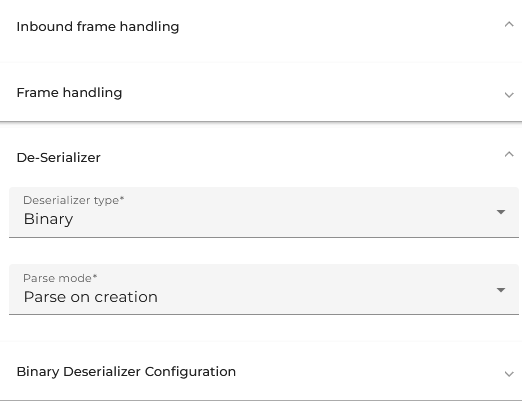
Deserializer type
Here the user may select and configure a deserializer used to parse the message and create a message from its content. Along with this one or more Stream filters may be added and configured.
Parse mode
| Frame handler | Description |
|---|---|
| Parse on creation | The data is parsed by the selected deserializers while reading the byte stream. If an error occurs during this process, it will be visible in the log file only because there is no process instance existing yet. |
| Parse on demand | The byte stream is read binary without interpreting it; along with the data also the configuration of the selected deserializer will be stored. If the message is accessed, e.g. by a mapping, it will be parsed using the attached deserializer configuration. If the deserializer throws an error it may be handled by the process instance. |